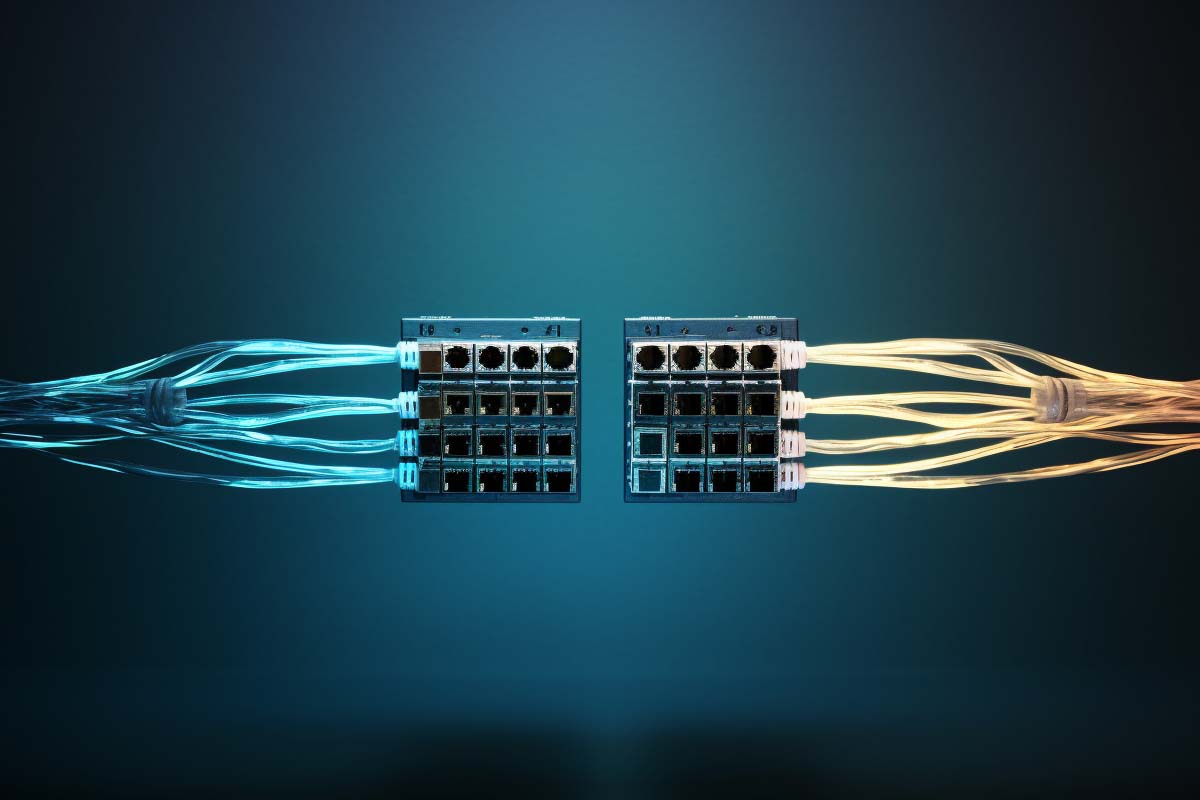
Slow file copies, choppy video calls, and “the network is up, but it feels broken” often come down to half duplex vs full duplex. If one side of a link sends while the other waits, performance drops fast. If both sides can talk at the same time, traffic flows cleanly and the user experience is usually better.
CompTIA N10-009 Network+ Training Course
Discover essential networking skills and gain confidence in troubleshooting IPv6, DHCP, and switch failures to keep your network running smoothly.
Get this course on Udemy at the lowest price →Quick Answer
Half duplex vs full duplex is a comparison between turn-taking communication and simultaneous two-way communication. Full duplex is the standard choice for modern Ethernet because it reduces collisions, improves throughput, and lowers latency. Half duplex still appears in legacy or constrained systems, but a duplex mismatch can quietly damage performance even when the link stays up.
| Primary question | Half duplex vs full duplex |
|---|---|
| Best modern choice | Full duplex |
| Typical issue to watch for | Duplex mismatch |
| Where it matters most | Ethernet, VoIP, file transfers, video conferencing, and troubleshooting |
| Real-world impact | Collisions, retransmissions, latency, and user-visible slowness |
| Common legacy environment | Hub-based or older shared-media networks |
| Practical goal | Match duplex settings and confirm both ends of every link |
| Criterion | Half-Duplex | Full-Duplex |
|---|---|---|
| Cost (as of September 2026) | Usually lower in legacy or simple devices, but can create hidden troubleshooting costs | Standard in modern switched networks, so the effective cost is usually lower over time |
| Best for | Legacy hardware, shared-media links, and low-demand environments | Enterprise Ethernet, VoIP, cloud apps, and real-time traffic |
| Key strength | Simple turn-taking behavior | Simultaneous send and receive with better efficiency |
| Main limitation | Wait time, collisions, and retransmissions | Requires correct negotiation and compatible equipment |
| Verdict | Pick when you are dealing with older or constrained systems. | Pick when performance, stability, and low latency matter. |
What Half-Duplex and Full-Duplex Really Mean
Half-duplex is a communication mode where data can move in both directions, but not at the same time. One side transmits while the other listens, then they switch roles.
Full-duplex is a communication mode where both sides can send and receive at the same time. In networking terms, that usually means fewer pauses, fewer collisions, and smoother traffic flow.
Think of half-duplex as a one-lane bridge with traffic lights. Full-duplex is a two-lane road where both directions move at once.
This is why half duplex vs full duplex communication is not just a theory question. A link can advertise the same speed and still behave very differently depending on duplex mode. That matters in Ethernet, VoIP, switch uplinks, and any environment where latency and throughput affect the user experience.
For learners studying networking fundamentals in the CompTIA N10-009 Network+ Training Course, duplex is one of those topics that pays off immediately in troubleshooting. It helps you explain why a link that looks “up” can still feel slow, unstable, or noisy.
- Half-duplex means send and receive happen in turns.
- Full-duplex means send and receive happen at the same time.
- Duplex mode affects behavior, not just advertised link speed.
- Modern networks usually expect full-duplex by default.
For a formal networking reference, Cisco® documents switching and port behavior in ways that mirror how duplex is used in enterprise networks, while the Microsoft Learn networking documentation is useful for understanding how transport performance shows up in real systems.
How Does Half-Duplex Work in Practice?
Half-duplex works by forcing devices to take turns. If one device is sending, the other must wait. That may sound small, but in a busy network it creates delays that stack up fast.
In older hub-based networks, every connected device shared the same collision domain. If two devices tried to talk at once, the signal collided, both transmissions stopped, and the data had to be resent. That is one reason half-duplex networks often feel sluggish even when the raw speed number looks acceptable.
Why Collisions Hurt Performance
Collisions create wasted time. Every retransmission adds overhead, and every pause lowers effective bandwidth. In a lightly used network, half-duplex might be tolerable. Under load, it becomes a bottleneck.
A practical half duplex vs full duplex example is an older office switch or hub connected to a legacy printer, camera, or industrial controller. The link may still function, but transfers slow down, response times climb, and troubleshooting becomes frustrating because the problem is intermittent rather than complete.
- Turn-taking increases wait time.
- Shared access can create contention under load.
- Collisions lead to retransmissions and lower efficiency.
- Legacy hardware is where half-duplex is most likely to appear.
Pro Tip
If a link is acting slow but not failing, check duplex before blaming bandwidth. A half-duplex segment on a network designed for full-duplex can quietly drag down performance.
For standards-driven troubleshooting, NIST guidance on network performance and CIS Benchmarks are useful references when you are validating switch and endpoint configurations in managed environments.
How Does Full-Duplex Work in Practice?
Full-duplex lets a device transmit and receive at the same time on the same link. That changes the feel of the network immediately, especially when the traffic is bidirectional, like a video call or a remote desktop session.
On modern switched Ethernet, ports are typically point-to-point. That removes the shared-medium problem that made half-duplex common in older designs. With separate send and receive paths, the link spends less time waiting and more time moving useful data.
This is why half duplex vs full duplex ethernet matters so much. Ethernet itself is not “fast” or “slow” by definition; the duplex mode determines how efficiently the link uses its capacity. A 100 mbps full duplex vs half comparison is a good example: the nominal speed may be the same, but full-duplex can carry traffic in both directions simultaneously, making the link far more usable in real life.
Where Full-Duplex Helps Most
Full-duplex shines when traffic flows both ways. A file upload while syncing to the cloud, a Teams or Zoom call, and a remote shell session all depend on responsive upstream and downstream traffic. If the link can talk and listen at the same time, the application feels smoother.
- Video conferencing benefits from lower jitter and more consistent delivery.
- Cloud sync performs better when upload and download do not block each other.
- Remote work tools stay more responsive under load.
- Switch ports are designed to support efficient port-to-device communication.
In practical terms, full-duplex often gives you a better result even when the labeled link speed stays the same. That is why the search phrase 100 mbps full duplex vs half duplex keeps coming up in troubleshooting discussions. The label is not the whole story; the communication mode matters just as much.
For a technical view of how modern transport and switching are expected to behave, vendor documentation from Cisco® and official protocol references help explain why full-duplex is the default expectation on most current networks.
What Are the Key Differences Between Half-Duplex and Full-Duplex?
The main difference is simple: half-duplex alternates, while full-duplex is concurrent. That one distinction affects latency, efficiency, and the user experience more than many people expect.
When comparing full vs half duplex, the biggest practical gap is not just speed. It is how much time the network spends waiting, retrying, and clearing collisions. The more traffic you generate, the more obvious that difference becomes.
| Direction of traffic | Half-duplex alternates between send and receive | Full-duplex sends and receives at the same time |
|---|---|---|
| Latency | Higher because devices must wait their turn | Lower because both directions can move continuously |
| Collisions | More likely in shared or mismatched environments | Greatly reduced on properly configured links |
| Real-world efficiency | Lower under load | Higher under load |
That is also why the query 100 mbps full duplex vs half is often really about usability, not headline bandwidth. A full-duplex link handles simultaneous traffic more gracefully, so users notice fewer pauses during transfers, calls, and cloud access.
- Half-duplex is more sensitive to contention.
- Full-duplex is better for interactive and bidirectional traffic.
- Latency is usually lower with full-duplex.
- User experience improves when the link does not constantly stop and start.
For organizations measuring network performance, the difference becomes visible in ticket trends. Fewer complaints about stuttering calls, slow uploads, and random stalls usually means the link layer is behaving as expected.
Why Is Full-Duplex the Default in Most Modern Networks?
Full-duplex is the default because modern switched Ethernet is built around dedicated links, not shared collision domains. Each port usually connects to a single device, so there is no need for devices to fight over the same medium the way they did on older hub networks.
That design matches how people actually use networks now. A workstation is not just pulling files; it is also sending telemetry, joining calls, syncing data, and opening cloud sessions at the same time. Full-duplex handles that mix much better.
The broader industry also assumes this behavior. The IEEE Ethernet standards underpin modern link behavior, while enterprise and campus switching designs usually optimize for low-latency bidirectional traffic rather than turn-taking.
Note
Modern networks often fail quietly when duplex is wrong. The link can stay up, the IP address can still ping, and users can still complain about slowness. That is why duplex is a troubleshooting checkbox, not a background detail.
This is also where the term 100 half duplex shows up in older environments. A 100 Mbps link that negotiates half-duplex can behave far worse than the same link in full-duplex mode. In a switch-heavy environment, that difference is often the root cause of “mysterious” slowdowns.
For workforce and troubleshooting frameworks, NIST and DoD Cyber Workforce references reinforce the value of configuration validation and operational discipline. In plain language: if the port settings are wrong, performance will be wrong too.
What Are Common Real-World Uses of Full-Duplex Communication?
Full-duplex shows up anywhere communication needs to feel natural and responsive. The best example is a phone conversation. One person speaks while the other listens, and both can switch instantly without a noticeable pause.
In networking, that same behavior is critical for video conferencing, cloud file sync, remote administration, and modern collaboration tools. The more the application depends on live interaction, the more duplex mode influences the experience.
Examples You See Every Day
- VoIP and telephony need simultaneous talk and listen behavior.
- Fiber links often rely on full-duplex transmission to maximize usable capacity.
- Remote desktop sessions need fast bidirectional updates.
- Gaming and streaming benefit from low-latency control traffic.
- Cloud apps depend on smooth upload and download responsiveness.
When people ask about half duplex vs full duplex fiber, the short answer is that fiber is commonly deployed in ways that support efficient two-way communication. In practical terms, that helps long-distance links stay stable and responsive, especially where copper would be more vulnerable to interference or performance loss.
Full-duplex matters most when the network is doing real work in both directions at once. That is why it shows up in collaboration, telephony, cloud, and switching so often.
For application behavior and traffic inspection, official docs from Microsoft® and AWS® show how latency-sensitive workloads depend on stable bidirectional connectivity. Those workloads are exactly where duplex mistakes become visible fast.
When Does Half-Duplex Still Make Sense?
Half-duplex still makes sense when simplicity, cost, or legacy compatibility matters more than top efficiency. That is not the same as saying it is the best choice. It just means it is still valid in the right environment.
Some industrial systems, older endpoints, and narrow-purpose devices do not need simultaneous send and receive. If traffic is light and the link is not expected to handle interactive applications, half-duplex can be acceptable.
Good Fit Scenarios
- Legacy equipment that only supports half-duplex operation.
- Low-demand links where traffic is sporadic and simple.
- Specialized systems that prioritize compatibility over performance.
- Constrained environments where the design goal is basic communication, not efficiency.
That said, half-duplex is usually not the answer for modern office networking. If you are supporting file sharing, conferencing, cloud access, or mixed user traffic, full-duplex is almost always the better fit.
For organizations operating under compliance-driven network standards, sources such as ISACA and ISO stress control consistency and documented configuration. Duplex settings belong in that documentation because they affect both performance and troubleshooting speed.
How Do You Identify Duplex Mode on a Network?
You identify duplex mode by checking the configuration on both ends of the link. Never assume the setting is correct just because the connection looks active. A link can be up and still behave badly.
On managed switches, duplex is usually visible in the interface status. On servers, desktop NICs, and embedded devices, you may need to inspect adapter settings or use CLI tools. The exact command depends on the platform, but the goal is the same: confirm what each endpoint believes the link mode is.
Signs the Setting May Be Wrong
- Slow file transfers even on a fast link.
- High retry counts or retransmissions.
- Intermittent stuttering in voice or video.
- Unexpected latency under moderate load.
- Collisions or errors on a port that should be clean.
In practice, the first thing to check is whether both sides are set to auto-negotiation or both are manually fixed to the same speed and duplex. Mixed settings are where trouble starts. This is especially relevant in the 100 mbps full duplex vs half discussion because 100 Mbps links are common in legacy environments where old and new hardware overlap.
Warning
Do not fix one side of a link to full-duplex and leave the other side on auto or half-duplex. That is a classic duplex mismatch pattern, and it can make a healthy link perform badly without dropping completely.
For authoritative operational guidance, Cisco® switch documentation and Microsoft Learn troubleshooting guidance are practical references for checking adapter and port behavior.
What Is a Duplex Mismatch and Why Is It So Hard to Spot?
Duplex mismatch is what happens when one side of a link runs full-duplex and the other runs half-duplex. The connection may stay active, but performance becomes erratic, slow, and frustrating.
This is hard to spot because the symptoms look like generic network slowness. Users complain about failed uploads, choppy calls, stalls during remote sessions, or slow browsing. The link often still responds to pings, which can mislead troubleshooting teams into looking at the wrong layer.
Why Mismatches Create So Much Trouble
When one side expects collisions to be impossible and the other side is still enforcing turn-taking, packets get retransmitted and timing goes out of sync. The result is poor efficiency, not necessarily a complete outage.
That is why a duplex mismatch can feel worse than a lower-speed but correctly configured link. The network is doing extra work to recover from avoidable errors.
- Collisions increase on the half-duplex side.
- Retransmissions increase latency and lower throughput.
- Application stalls appear before obvious link failure.
- Symptoms often fluctuate, which makes diagnosis harder.
When comparing half duplex vs full duplex communication for troubleshooting, remember this: the problem may not be capacity at all. It may be a mismatch between two devices that disagree about how the link should behave.
For network risk management and operational controls, SANS Institute materials and NIST best practices are useful for building a disciplined troubleshooting process.
How Can You Troubleshoot and Optimize Duplex Performance?
The fastest way to troubleshoot duplex issues is to verify both ends of the link, then standardize the configuration. If the hardware supports auto-negotiation properly, it is usually the safest option in modern environments.
Start by checking the switch port and the endpoint NIC. If they do not match, correct the mismatch. If the environment has older equipment, confirm whether the device supports full-duplex at all. Do not assume feature parity between generations of hardware.
Practical Troubleshooting Steps
- Check both endpoints for speed and duplex settings.
- Inspect the cable and port for physical damage or poor seating.
- Review interface counters for collisions, errors, and retransmissions.
- Test with a known-good device if the cause is unclear.
- Document the final setting so future troubleshooting is faster.
Auto-negotiation is usually the right default because it allows compatible devices to agree on the best common setting. Problems happen when one side is forced and the other side tries to negotiate, or when a legacy device behaves inconsistently.
If you are troubleshooting a suspected 100 half duplex link, the best next step is not to guess. Confirm the negotiated values and compare them with the expected configuration. In many cases, a single port correction resolves a problem that looked like an application outage.
For official device-level references, use vendor documentation from Cisco®, Juniper, or the relevant platform vendor. Those sources explain the exact interface commands and counters available on each system.
How Does Duplex Mode Affect Network Applications?
Duplex mode affects applications that depend on constant two-way traffic. File transfers, conferencing, remote access, and cloud collaboration all feel better when the link can send and receive at the same time.
For file transfers, full-duplex helps reduce waiting because uploads and acknowledgments can proceed together. For video conferencing, the benefit is even more obvious: speech, video, signaling, and control traffic all need responsive bidirectional flow.
Application-Level Impact
- File sharing is smoother because transfer and acknowledgment traffic move more efficiently.
- Video conferencing has fewer pauses and less jitter when duplex is correct.
- Streaming behaves better when control and metadata traffic are not blocked.
- Remote desktop sessions feel less laggy.
- Online gaming benefits from lower interaction delay.
This is why people often search for 100 mbps full duplex vs half duplex after experiencing everyday slowness that does not match the advertised speed. The bottleneck is often not raw bandwidth. It is inefficient link behavior.
When an app feels slow but the circuit looks fine, duplex is one of the first things worth checking.
That principle applies across real-time collaboration, downstream traffic, and mixed workloads where the user is both receiving and sending data constantly. The link layer has a bigger effect on experience than many teams realize.
Key Takeaway
Half duplex vs full duplex is really a question of turn-taking versus simultaneous communication.
- Half-duplex is fine for legacy or low-demand systems, but it adds wait time and can create collisions.
- Full-duplex is the modern default because it improves throughput, lowers latency, and reduces retransmissions.
- Duplex mismatch can cause major performance problems even when the link stays up.
- Checking both ends of the connection is the fastest way to avoid false troubleshooting paths.
- Real-time apps like video calls and cloud collaboration are the clearest beneficiaries of full-duplex.
Should You Use Half-Duplex or Full-Duplex?
Pick full-duplex when you want the best fit for modern Ethernet, interactive applications, and reliable performance under load. Pick half-duplex when you are working with legacy hardware, a constrained system, or a design that does not need simultaneous traffic.
When to Pick Half-Duplex
Choose half-duplex only when compatibility or system limitations make it necessary. It can be acceptable in older or specialized devices, but it is rarely the right answer for office networks, remote work, or user-facing services.
If you are seeing the search phrase jelaskan keunggulan metode full duplex dibandingkan half duplex, the core answer is straightforward: full-duplex gives you better responsiveness, fewer collisions, and more efficient use of the link.
When to Pick Full-Duplex
Choose full-duplex for almost any switched Ethernet environment. It is the safer default because it supports modern application traffic, improves real-world usability, and reduces the chance of painful mismatch issues when configured correctly.
If you are building or maintaining an enterprise network, the operational rule is simple: verify the port mode, match both ends, and document the final setting. That habit saves time and prevents tickets later.
For a vendor-neutral view of how duplex affects practical performance, use NIST guidance, the IEEE Ethernet standard family, and platform-specific documentation from your switch and NIC vendors.
CompTIA N10-009 Network+ Training Course
Discover essential networking skills and gain confidence in troubleshooting IPv6, DHCP, and switch failures to keep your network running smoothly.
Get this course on Udemy at the lowest price →Conclusion
Half duplex vs full duplex comes down to one simple idea: half-duplex takes turns, while full-duplex talks both ways at once. That difference affects speed, latency, collisions, and the way users experience the network every day.
For most modern networks, full-duplex is the right choice. It is the default for switched Ethernet, the better fit for real-time applications, and the more reliable option when performance matters. Half-duplex still has a place in legacy and constrained environments, but it should be used intentionally, not accidentally.
If a network feels slow, do not stop at bandwidth. Check duplex settings, confirm both ends of the link, and look for mismatch symptoms before you chase more complicated causes. That one habit can solve problems that look much bigger than they are.
Pick half-duplex when you are dealing with legacy or low-demand systems; pick full-duplex when you want better throughput, lower latency, and fewer troubleshooting surprises.
CompTIA®, Cisco®, Microsoft®, AWS®, ISC2®, ISACA®, and PMI® are trademarks of their respective owners.
